About
About Fontist
The story behind Fontist - cross-platform font management for automated systems and digital publishing.
Making fonts accessible to automated systems everywhere
Origin Story
Back in 2020, at Ribose, we faced a recurring challenge. Our digital publishing workflows required specific fonts to be installed on cross-platform automated systems and cloud runners. We needed a non-interactive way to work with fonts—one that could run silently in CI/CD pipelines without manual intervention.
The problem? There was no cross-platform solution. Font installation was either:
- Tied to graphical interfaces (macOS Font Book, Windows Font Viewer)
- Platform-specific command-line tools
- Requiring manual downloads and installation steps
This created friction for automated document generation, PDF rendering, and other publishing tasks that depend on specific fonts being available.
Fontist was born from this need—a cross-platform font installer that works identically on Windows, Linux, and macOS:
fontist install "Roboto"No graphical interface. No manual downloads. No platform-specific scripts.
Since then, Fontist has become the de-facto location where open-source fonts are downloaded for automated processes, especially in digital publishing.
The Name & Logo
Why “Fontist”?
The name Fontist combines “Font” with the suffix “-ist,” which denotes a person who practices or is deeply concerned with a particular subject or field.
Just as a chemist devotes themselves to the science of chemicals, a typist masters the art of typing, and a pianist dedicates themselves to the piano—a Fontist is one who takes the topic of fonts seriously. It reflects our commitment to understanding fonts deeply: their formats, their licensing, their installation, and their role in the digital publishing ecosystem.
A Fontist is not merely a user of fonts, but a practitioner who ensures fonts are available, properly licensed, and correctly installed across any platform or environment.
Why “Fontisan”?
Our companion project Fontisan takes its name from the fusion of “font” and “artisan.”
An artisan is a skilled craftsperson who creates things with careful attention to detail and quality. Fontisan embodies this spirit—it’s a tool for those who craft with fonts: converting between formats, subsetting glyphs, building font packages, and manipulating type with precision.
While Fontist handles the logistics of getting fonts onto systems, Fontisan provides the artisanal tools for shaping and transforming fonts to fit specific needs.
The Logo
The Fontist logo embodies the intersection of typography, code, and utility.
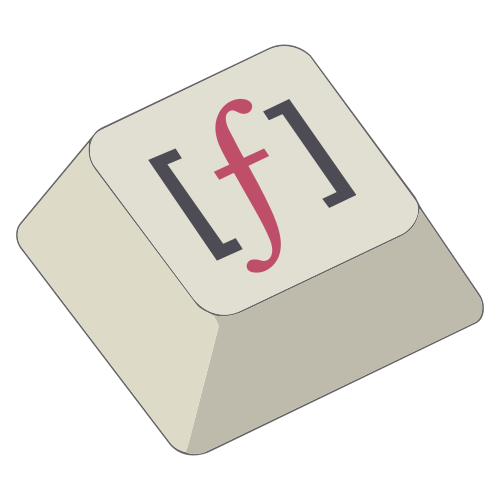
The Keycap Shape
The logo contains a keyboard keycap because typing is the primary way humans interact with fonts. Every keystroke, every message typed, every document, every line of code, imbues human intent into digital form. The keycap symbolizes this fundamental connection between human expression and digital typography.
The Ruby “f”
The central “f” is rendered in STIX Two Math, a mathematical typeface. It represents the abstract beauty of computer fonts — the abstract shapes of typography defined as mathematical curves. The elegance that emerges when typography meets computation. The ruby color reflects our passion and the precious value we place on open-source fonts, as well as the fact that Fontist was first created on Ruby, the object-oriented interpretive language.
The Brackets ”[..]”
Surrounding the “f” are brackets rendered in Source Code, a monospace font. These represent code — the enabler. They’re in gray because while they don’t demand attention, they quietly make everything possible. The brackets are in monospace font because Fontist is made for code and is code itself to support the usage of fonts. Code is the infrastructure upon which the beauty of fonts is delivered.
What It All Means
Fontist exists to provide value for open source and automated digital publishing, promoting the beauty of open source fonts and their foundries to be known, seen, and used.
We believe that:
- Fonts should be accessible to automated systems, not just graphical interfaces
- Open-source fonts and their creators deserve visibility and recognition
- The beauty of typography should be celebrated in digital publishing
- Code is the bridge that makes this beauty available everywhere
The Ecosystem
Fontist has expanded into a family of tools for comprehensive font management:
| Project | Purpose |
|---|---|
| Fontist | Install and manage fonts across platforms |
| Fontisan | Manipulate, convert, and build fonts programmatically |
| Formulas | Registry of 2,000+ font installation recipes |
Fontist
The core software and library for installing and managing fonts. It handles font discovery, downloading, licensing acceptance, and installation across all major platforms.
Fontisan
A complementary tool for manipulating, converting, and building fonts programmatically. Perfect for font workflows that require format conversion, subsetting, or modification.
Fontist Formulas
A community-driven registry of font installation recipes. Each formula contains the instructions for downloading and installing a font package from the internet. Anyone can contribute new fonts.
Who Uses Fontist
Document Generation
Automated PDF creation with proper typography in CI/CD pipelines
CI/CD Pipelines
Font installation in GitHub Actions, GitLab CI, Jenkins, and other runners
Design Automation
Programmatic design tasks requiring specific fonts
Containerized Environments
Docker images with pre-installed fonts for reproducible builds
Testing Environments
Consistent fonts across test machines for reliable visual tests
Digital Publishing
Automated typesetting and document rendering workflows
Platform Support
Fontist provides deep integration with operating systems, making fonts accessible and manageable across diverse environments.
Native Platform Support
Fontist supports all versions of the major desktop operating systems:
- macOS — Full integration with Font Book, system fonts, and supplementary fonts
- Linux — Support for system font directories and user font paths
- Windows — Integration with Windows font management
Extended Platform Support
In addition to the major platforms, Fontist also supports specialized Linux distributions:
- Alpine Linux — Package manager integration and system paths
- Arch Linux — Native pacman integration and font directories
System Font Access
Fontist provides access to fonts already bundled with your operating system:
- System fonts — Fonts bundled with the OS installation
- Supplementary fonts — Additional fonts available from OS vendors
- Platform-specific fonts — On macOS and Windows, access to system-specific-licensed fonts and on-demand platform fonts
Installation & Management Options
Fontist offers flexible approaches to font management:
- Direct OS Installation — Install fonts directly into your operating system’s font directories
- Integrated Management — Let Fontist manage fonts through its own system
- Separate Management — Maintain your own font directories with full control
Open Source
Fontist is proudly open source. We believe font management infrastructure should be freely available to everyone.
- GitHub: github.com/fontist
- License: Open source licenses for all components
- Contributing: New formulas and features welcome
Get Started
Ready to use Fontist in your automated workflows?